Quick Tip #002 – Change Threads On the Fly to Match Your Upload Speed
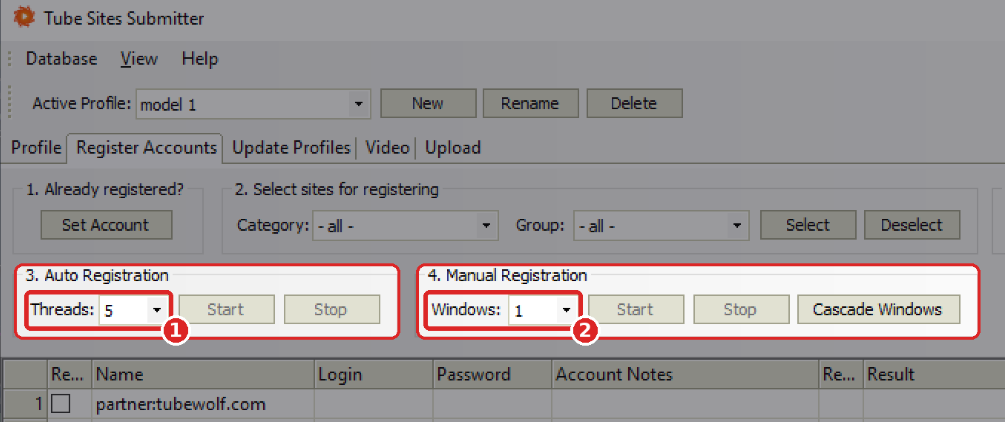
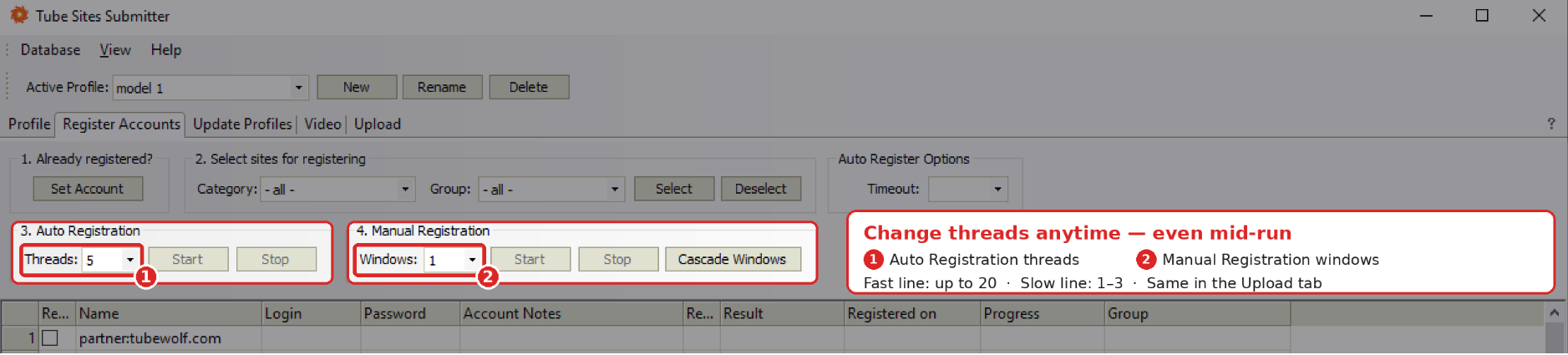
Change the number of threads at any time — even while registration or upload is already running.
In the Register Accounts tab you set Threads for Auto Registration and Windows for Manual Registration. The same works in the Upload tab. No need to stop the job and start again.
- Fast connection? Go up to 20 threads and finish in a fraction of the time.
- Slow upload line? Drop to 1–3 threads so uploads don’t time out or fail.
Set it to match your connection, adjust it live, and let TSS do the rest.
Related posts

The 11 Best Adult Webmaster Forums in 2026
In a business where every other webmaster is chasing the same traffic, the same sponsors and the same…
Read post
How to Purchase Adult Traffic in 2026: Networks, Real Costs and the Mistakes That Eat Budgets
Most people who decide to purchase adult traffic spend their first few hundred dollars learning things that could…
Read post
Best AI Porn Generator in 2026: AI Adult Generators Compared
Looking for the best AI porn generator in 2026? There are now many AI tools capable of generating…
Read postTry Tube Sites Submitter
Manage your profiles, prepare your content and automate repetitive tube-site submissions.
Windows desktop application